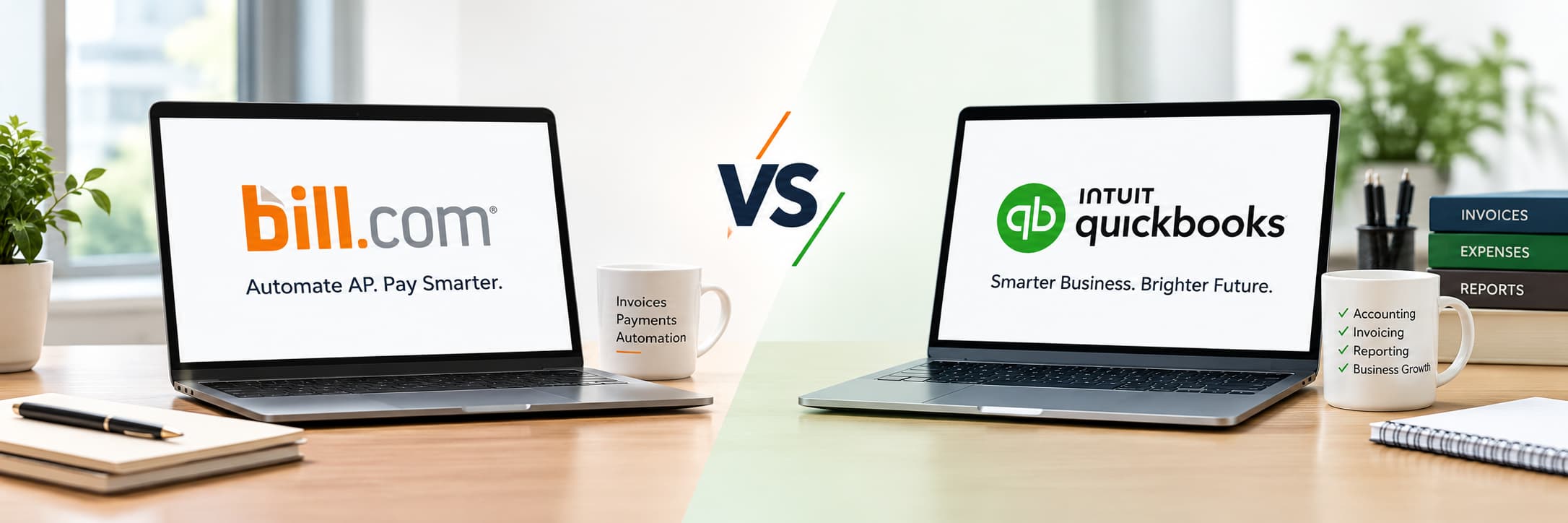
Choose QuickBooks Bill Pay if you already use QuickBooks Online, pay a moderate number of bills each month, and want low-cost payments built into your books. Choose Bill.com if you need deeper approval controls, procurement features, per-user permissions, or syncing with systems beyond QuickBooks Online, such as Xero, NetSuite, or Sage Intacct. In general, QuickBooks Bill Pay costs less, while Bill.com offers more flexibility.
Paying vendors on time, with the right approvals and clean records, is one of the most time-consuming parts of accounts payable. Two of the most common tools for automating it are Bill.com (now branded BILL) and QuickBooks Bill Pay, the payment tool built into QuickBooks Online.
On the surface, both let you enter bills, route them for approval, and pay vendors by ACH or check. The differences show up in pricing structure, approval depth, accounting integrations, and how costs change as your team grows. This guide compares both tools side by side so you can choose with confidence. It is written for business owners, controllers, and accounting teams who already use or are considering QuickBooks accounting.
| Feature | Bill.com | QuickBooks Bill Pay |
|---|---|---|
| Best for | Teams needing advanced approvals, multiple systems, or procurement | QuickBooks Online users wanting built-in, low-cost bill pay |
| Subscription | Essentials $49, Team $65, Corporate $89 per user/month; Enterprise custom | Basic $0, Premium $15/month, Elite $90/month (flat, not per user) |
| Standard ACH | About $0.59 per payment | 5 free per month (Basic), 40 free (Premium), no fees (Elite); $0.50 per extra payment on Basic and Premium |
| Mailed check | About $1.99 per payment | $1.50 per payment |
| Faster payment | Available at additional cost | Faster ACH for $10, 1-business-day delivery, up to $25,000 |
| Card payment to vendor | 2.9% of the amount | Not a core feature of Bill Pay |
| Approval workflows | Basic on Essentials; custom approval policies on Corporate | Multi-step approvals on Elite or QuickBooks Online Advanced |
| Accounting sync | QuickBooks Online and Xero (Team and up); NetSuite, Sage Intacct, Dynamics, and QuickBooks Enterprise (Enterprise plan) | QuickBooks Online only |
| 1099 filing | Per-form fee | Unlimited 1099 e-filing included on Premium and Elite |
| Standard ACH timing | Varies by payment option | 3 to 5 business days |
Fees are based on published schedules at the time of writing and can change. Confirm current rates on each provider’s pricing page before you commit.
The two tools price differently, which is why a simple “which is cheaper” answer can mislead.
Bill.com charges a monthly fee per user, plus a fee for each payment you send. According to Bill.com’s pricing page, the plans are Essentials, Team, Corporate, and Enterprise. The more people who need access to approve or pay bills, the higher your subscription cost climbs.
QuickBooks Bill Pay charges a flat monthly fee for the plan you choose, with no per-user charge for Bill Pay itself. Basic comes with your QuickBooks subscription. Premium and Elite add higher free-ACH allowances and more automation. Intuit lists the current tiers on its QuickBooks Bill Pay page. Keep in mind that your QuickBooks Online subscription is a separate cost and has its own user limits.
| Scenario | Bill.com | QuickBooks Bill Pay |
|---|---|---|
| 1 user, 20 ACH payments, no approvals | Essentials: $49 + $11.80 in fees = about $60.80 | Basic: 15 paid ACH payments × $0.50 = about $7.50 |
| 2 users, 100 ACH payments, multi-step approvals | Team: $130 + $59 in fees = about $189 | Elite: $90 flat, no ACH fees |
These examples are illustrative and exclude your QuickBooks Online subscription, check fees, and any promotional pricing. Your actual cost depends on your payment mix and plan.
For small teams with straightforward needs, QuickBooks Bill Pay is usually the lower-cost option. Bill.com’s cost advantage appears only when its extra capabilities replace manual work you would otherwise pay for.
Approval controls matter because they reduce the risk of duplicate payments, unauthorized spending, and fraud.
Bill.com offers approval workflows on all plans, with more granular controls as you move up. Its Corporate plan adds custom approval policies, discounted approver-only seats, and procurement features such as purchase orders and two-way matching. That makes it a stronger fit for companies where several people touch a bill before it is paid.
QuickBooks Bill Pay includes approval workflows on its Elite plan. According to Intuit’s support guide, custom user roles and multi-step bill approvals are available with Elite or with any plan on QuickBooks Online Advanced. This covers most small and mid-sized needs, though it does not include the purchase order and matching features found in Bill.com’s higher tiers.
Whichever tool you choose, documented approvals also create a reliable audit trail that makes year-end reviews and external audits easier.
This is often the deciding factor.
QuickBooks Bill Pay works only with QuickBooks Online. The upside is that it is native: bills, payments, and reconciliation live in one system, with no second login or sync to monitor. The downside is that if you switch accounting platforms, you cannot take Bill Pay with you.
Bill.com connects to several accounting systems. Automatic two-way sync with QuickBooks Online and Xero starts on the Team plan, while Essentials depends on manual CSV import and export. Larger systems such as NetSuite, Sage Intacct, and Microsoft Dynamics are supported on the Enterprise plan. If your business uses Xero accounting or expects to outgrow QuickBooks, Bill.com gives you more room.
One practical caution: any two-way sync needs monitoring. Duplicate bills, mismatched vendors, and sync errors can create reconciliation work, so assign someone to review the sync regularly.
Bill.com also covers the customer side, letting you send invoices and collect payments within its AP and AR plans. If you want one platform for both payables and accounts receivable, that can be a benefit.
QuickBooks Online has its own invoicing tools, so businesses already using it typically manage receivables there and use Bill Pay only for vendor payments.
If you pay contractors, 1099 reporting is part of the job. QuickBooks Bill Pay Premium and Elite include unlimited 1099 e-filing at no additional cost. Bill.com generally charges per form, with a lower rate when filed through an accountant. If you issue many 1099s, this can tilt the cost comparison.
Either way, make sure vendor W-9 information is collected before the first payment and that your year-end tax compliance process is documented.
Bill.com is usually the better choice if:
QuickBooks Bill Pay is usually the better choice if:
Technically, Bill.com can sync with QuickBooks Online, so some businesses run Bill.com on top of QuickBooks instead of using Bill Pay. However, running both for the same bills is not recommended. Choose one system as your single source of truth for AP to avoid duplicate payments and confusing reconciliations.
Answer these questions to narrow your choice:
Whichever tool you pick, results depend on process as much as software:
KMK Ventures supports businesses and accounting firms with accounts payable processing, vendor reconciliations, QuickBooks and Xero accounting, and month-end close. Whether you choose Bill.com or QuickBooks Bill Pay, our team can help with setup, approval workflows, bill coding, payment runs, and reconciliation, so your records stay accurate and your financial reporting stays reliable as your volume grows.
There is no single winner between Bill.com and QuickBooks Bill Pay. QuickBooks Bill Pay is typically the simpler and lower-cost choice for businesses that live in QuickBooks Online. Bill.com is typically the stronger choice for teams that need advanced controls, multiple integrations, or procurement features and are willing to pay per user to get them.
Start with your accounting software, payment volume, and approval needs. Then compare the real monthly cost for your situation rather than the headline price alone.
For most small businesses using QuickBooks Online, yes. QuickBooks Bill Pay Basic is included with your subscription and includes a set number of free ACH payments each month, while Bill.com charges per user plus per payment. The gap narrows if you need features only Bill.com’s higher tiers provide.
It depends on your plan. Basic includes 5 free standard ACH payments per month and Premium includes 40, with additional payments at $0.50 each. Elite has no ACH fees. Check payments and Faster ACH carry separate fees.
Yes. Automatic two-way sync with QuickBooks Online starts on the Team plan. The Essentials plan relies on manual CSV import and export.
No. QuickBooks Bill Pay is built into QuickBooks Online and is not a standalone product.
Bill.com offers more depth on its Corporate plan, including custom approval policies and procurement features. QuickBooks Bill Pay offers multi-step approvals on Elite or with QuickBooks Online Advanced, which is enough for many small and mid-sized businesses.
According to Intuit, standard ACH through QuickBooks Bill Pay takes 3 to 5 business days and paper checks take 8 to 10 business days. Faster ACH offers 1-business-day delivery for an additional fee, up to $25,000.
Bill.com offers a separate pricing program for accountants and handles multiple entities more flexibly, while QuickBooks also offers Bill Pay options through its ProAdvisor program. The right choice depends on your client mix and the accounting software they use.
Still deciding which tool fits? That’s where KMK comes in. KMK Ventures can help you evaluate your AP workflow, set up Bill.com or QuickBooks Bill Pay, and keep your books clean and reconciled. Contact KMK Ventures to discuss your accounts payable and accounting needs.
Disclaimer: This article is for informational purposes only and does not constitute accounting, tax, legal, or financial advice. Pricing, features, and fees change frequently, so confirm current details with each provider before purchasing. Consult a qualified professional for advice specific to your business.

Dev Kothari, a seasoned leader at KMK, heads the Special Teams, where he leverages his extensive expertise in managing large-scale accounting and tax return processing for U.S.-based clients. With a keen eye for workflow optimization and stakeholder collaboration, Dev drives exceptional efficiency and quality in high-volume project delivery. As a dual-qualified CPA (AICPA, Arizona) and Chartered Accountant (ICAI), Dev’s blend of strategic insight and technical prowess positions him as a key asset in ensuring KMK’s clients consistently achieve their financial goals.
KMK is a top outsourced accounting and tax service provider. We offer end-to-end accounting and tax services for small to mid-sized businesses, with a team of 2000+ professionals, including certified public, chartered, and staff accountants.
Schedule a MeetingUSA:
651 N Broad ST STE 205 10055
Middletown, DE 19709
Phone: +1 (941) 877-2835
India:
300, Sankalp Square-3B
Sindhu Bhavan Marg,
Ahmedabad, Gujarat 380058
For Career: 91-98240-42996
Developed by Bluele | Copyright © 2026 | KMK Ventures Private Limited. | All Rights Reserved